


Hong Kong Web Design Guide: How to Build a High-Converting WordPress Site from Scratch
2026 / 09 / 30
Author: Arachne Group Limited System Development & Production Team丨Reviewed by: Edwin, Marketing Director丨Last Updated: September 30, 2026
[Key Summary]
— 4 Core Elements of Building a Website
Domain Name: Your online address (e.g., .com or .hk). Ensure full administrative ownership.
Hosting: The physical land for your site. For local Hong Kong audiences, prioritize loading speed, server response time, and backup support.
SSL Certificate (HTTPS): The security lock, an official Google ranking factor and trust badge.
Theme & Plugins: Interior design and functional features. Regular updates and cleanups are essential to prevent slow loading speeds.
— 6 Steps to Building a WordPress Site
Define Clear Goals: Focus on qualified inquiries and conversions (e.g., WhatsApp clicks, booking forms), not just web traffic.
Plan Site Architecture: Design pages around the customer decision journey (Home, Services, Case Studies, FAQ, Contact).
Mobile-First Design: Optimize the mobile UI/UX first, then adapt to desktop layouts.
Development & Integration: Integrate booking, multi-language, or payment systems appropriately without bloat.
Foundational SEO: Naturally incorporate keywords, deliver quality content, and meet Core Web Vitals targets (e.g., LCP < 2.5s).
Testing & Maintenance: Post-launch, regularly update core software/plugins, maintain backups, and monitor Google Search Console.
— Costs & Decision: DIY vs. Outsourcing
Cost Breakdown: Includes one-off project fees (UI/UX, development, translation) and recurring annual costs (domain, hosting, plugin licenses, maintenance).
Best for DIY: Limited budgets, simple needs (e.g., personal studios), and a willingness to invest time in learning.
Best for Outsourcing: Multi-language requirements, e-commerce transactions, third-party system integration, or a lack of internal technical staff.
Whether you are a local tea restaurant showcasing a new menu, a clinic needing online appointments, or a B2B firm establishing a professional image, operating without a well-designed professional website means handing potential customers over to your competitors.
How do you create a high-converting professional website? WordPress powers over 40% of the world's websites thanks to its extensibility, freedom, and search engine-friendliness. Starting from domain and hosting selection, this guide walks you through planning, building, and launching a WordPress site step-by-step to help you create a secure, high-converting digital presence.
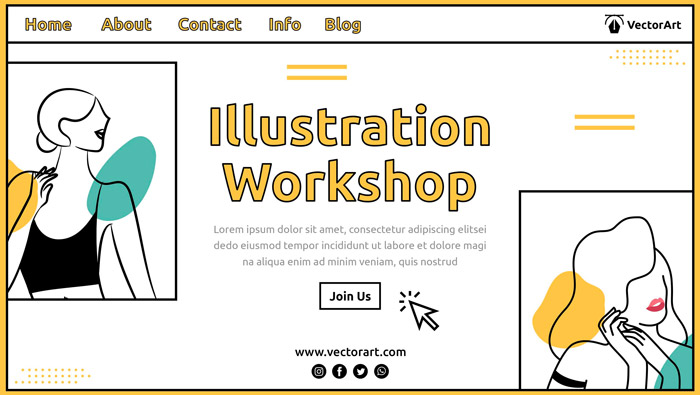
WordPress is an open-source Content Management System (CMS). Think of it as the "operating system" for your website, allowing users with zero coding knowledge to easily edit pages, publish posts, and update product information.[1]
Extreme Flexibility and Scalability: Whether you need a simple corporate site, a multi-language platform, an online booking system, or a full-featured e-commerce portal, WordPress plugins can fulfill your business needs.
SEO-Friendly Architecture: WordPress features clean code structures and integrates seamlessly with plugins like Yoast SEO and Rank Math, making it simple to manage titles, meta descriptions, sitemaps, and schema markup for SEO optimization.
Full Control Over Hosting & Providers: Unlike closed SaaS platforms like Wix or Shopify, WordPress grants full ownership of your site data and source code. You retain the freedom to migrate hosts or change service providers whenever you choose.
If you only need a single event landing page or prefer platform-managed technical maintenance, simple website builders or hosted platforms might be more practical. For online stores heavily reliant on specific inventory or logistics systems, compare platform integrations, transaction fees, monthly plans, and data export options before committing to WooCommerce.
Before starting development, you must understand the four core pillars of a WordPress site:
Your domain is the web address customers type to find you, such as yourcompany.com or yourcompany.hk. When selecting a domain, prioritize brand consistency, memorability, target demographics, and renewal fees. While .com, .hk, and .com.hk serve different positioning needs, domain extensions alone do not guarantee search rankings.
Verify domain ownership, admin accounts, and renewal notifications before registering. If registered via an agency, ensure the contract explicitly grants full domain transfer rights and admin ownership to your company.
Server stability, available resources, and support quality directly impact site performance. Common choices include:
Note: Hosting plans vary significantly across providers. Do not rely solely on buzzwords like "Hong Kong Server" or "Cloud Hosting." If your target audience is located in Hong Kong, benchmark loading speeds, TTFB (Time to First Byte), CDN support, backup policies, customer support, and renewal pricing with real-world testing.
HTTPS encrypts connections between browsers and your website using TLS. Ensure HTTPS is properly configured at launch and verify that all assets (images, scripts, forms) are free from mixed-content HTTP errors.
Beyond safeguarding website security and establishing visitor trust, HTTPS is an explicit Google search ranking factor.[2]
Themes define layout and visual aesthetics, while plugins add functional capabilities like contact forms, SEO settings, booking systems, or store functionalities.
Evaluate update history, developer support, compatibility, licensing terms, and lock-in risks before installing. Regularly audit and delete redundant or inactive plugins to maintain page speeds and protect SEO performance.
Define your site's core objective: capturing qualified inquiries, showcasing case studies, handling online bookings, or processing transactions. Objectives dictate layout structures, functional builds, and KPIs.
Identify trackable conversion actions, such as form submissions, WhatsApp clicks, click-to-call links, completed bookings, or checkouts. Look beyond raw traffic volume to evaluate business metrics like lead quality and conversion value.
Standard corporate web pages include Home, About Us, Services/Products, Case Studies, FAQs, Blog, and Contact. Tailor your site map to your customer decision path rather than adding filler pages.
Create dedicated landing pages for main services detailing scope, target pain points, workflows, required inputs, and clear calls to action (CTAs). For case studies, obtain client consent, protect confidential data, and highlight verified context, deliverables, and metrics.
Ensure mobile users can easily digest service offerings, find contact details, and complete key actions before adapting layouts for desktop screens. Thoroughly test button sizes, typography, form inputs, navigation menus, and data tables on actual mobile devices. Use web analytics to track your audience's device breakdown rather than relying on unverified market statistics.
Install WordPress, configure your theme, and install core plugins. Integrate contact forms, multi-language modules, booking systems, payment gateways, or WhatsApp integrations aligned with your primary site goals. Minimize feature bloat to streamline maintenance. Establish accountability for license renewals, updates, and emergency troubleshooting prior to launch.
Assign unique, descriptive titles and clear focus topics to every page. Write copy that resolves user intent naturally using relevant search terms. Set up SEO Titles, Meta Descriptions, internal links, image alt attributes, XML Sitemaps, and Schema structured data. These steps help search engines discover and index content, though they do not guarantee specific rankings or AI Overview placements.
Keep crucial information in indexable text format rather than hiding it within images or inaccessible interactive scripts. Ensure structured data markup strictly mirrors visible page content. [3]
Prior to going live, test navigation, forms, payments, WhatsApp widgets, maps, redirects, links, and language toggles across both mobile and desktop environments. Audit HTTPS configurations, backup routines, custom 404 pages, sitemaps, search engine indexing toggles, and Google Search Console property verifications.
Launching is an ongoing process. Schedule routine updates for WordPress core, themes, and plugins. Perform regular backup restore tests, audit conversion pathways, and monitor loading speeds alongside error logs.
Google recommends monitoring Core Web Vitals continually. Target benchmarks for a healthy user experience include an LCP under 2.5 seconds, INP below 200 milliseconds, and CLS below 0.1. Measure these using real-world diagnostic tools rather than assuming every page must load in under two seconds under all network conditions. [4]
How Should Different Industries Plan Website Features?
Note: Select features that align with operational workflows and customer expectations. Third-party integrations for bookings, payment gateways, and logistics carry varying plugin licensing fees and merchant terms. Review requirements prior to integration.
While WordPress software is free, building and running a commercial site involves real costs. Budgets generally split into upfront development expenses and ongoing operational costs, depending on page counts, design complexity, content readiness, integrations, and ongoing support requirements. Always compare detailed project scopes rather than relying on lump-sum quotes.
Common One-Time Project Fees
- Discovery, site architecture, and UI/UX design;
- WordPress installation, theme customization, or bespoke development;
- Copywriting, translation, photography, graphic design, and product catalog setup;
- Integrations for multi-language, booking, membership, e-commerce, or third-party systems;
- Data migration, Quality Assurance (QA) testing, client training, and launch support.
Common Annual or Usage-Based Costs
- Domain renewals and web hosting plans;
- Premium theme, plugin, or third-party API licenses;
- Professional email hosting, off-site backups, security monitoring, and technical maintenance;
- Payment gateway transaction fees, shipping API costs, or usage-based tools;
- Content updates, structural modifications, and emergency technical support.
SSL/TLS certificates, backup solutions, or security firewalls may be included in hosting packages or billed separately. When requesting agency proposals, ensure quotes itemize one-off project scopes, recurring licensing fees, account ownership parameters, maintenance agreements, revision limits, delivery timelines, payment schedules, and site asset rights.
When DIY Makes Sense: Clear requirements, simple page structures, basic functionality, and team members who can learn WordPress and manage routine updates, backups, and content management.
When Outsourcing Makes Sense: Sites requiring multi-language setups, e-commerce, custom booking engine integrations, complex system connectors, or businesses lacking technical staff. Outsourcing still requires company involvement in content generation, review sign-offs, credential management, and post-launch planning.
1. What specific pages, design mockups, functional modules, and content setups are included in the quote? What incurs extra fees?
2. Who retains legal ownership of the domain name, hosting account, administrator credentials, source files, and software licenses?
3. How are software updates, data backups, disaster recovery, and bug fixes handled after launch?
4. Have payment gateways, logistics APIs, booking systems, or multi-language features been tested? Who pays ongoing third-party gateway or licensing fees?
5. How can site files and database assets be exported if we switch agencies later? Are there exit or migration fees?
6. What foundational SEO tasks are included? Are deliverables itemized rather than making unverified ranking guarantees?
WordPress supports diverse corporate web configurations, but choosing it should depend on your business strategy, core objectives, and budget allocation. Outlining target demographics, content assets, functional needs, cost caps, and task ownership prior to development is far more effective than selecting themes or installing plugins prematurely.
Arachne Group Limited delivers practical, transparent WordPress web development solutions tailored to Hong Kong SMEs. From site architecture and functional scopes to itemized quotes and post-launch maintenance, we focus on driving tangible business outcomes.
Unsure which website structure and budget fit your needs? [Book a Free Website Strategy Assessment]. Our team provides one-on-one consultations to map out a practical, high-converting digital strategy for your industry.
Phone: +852 3749 9734
Email: [email protected]
WhatsApp: +852 6315 1000
The core WordPress software is free, but expenses arise from domains, hosting, custom design, premium themes/plugins, content creation, and ongoing maintenance. If choosing hosted SaaS alternatives, evaluate plan tiers, feature restrictions, and data migration terms.
Site security depends on web hosting setups, configuration standards, account access controls, plugin/theme sourcing, and update disciplines. Using verified software, enforcing strong credentials with two-factor authentication (2FA), restricting admin rights, updating systems regularly, and performing backup restores form essential security routines. No platform stays secure without proper management.
Each platform offers distinct management structures and trade-offs. Self-hosted WordPress delivers full code control, hosting freedom, and feature scalability, but requires technical oversight. Website builders like Wix integrate hosting and design tools for simple operation. Shopify focuses specifically on e-commerce workflows; evaluate its transaction fees, app ecosystem, monthly subscriptions, and platform boundaries against WooCommerce before deciding.
Development timelines depend on page volume, content readiness, design approval speed, language versions, and third-party API integrations. Before kicking off, require your agency to supply a project roadmap defining milestones, client submission deadlines, approval windows, and sign-off criteria. Scope changes during development will alter completion dates.
Ensure your site can be crawled and indexed properly, then deliver structured, high-value content with clear headings, clean internal linking, and an optimized mobile experience. While SEO plugins simplify configuration tasks, they cannot replace keyword research, quality content creation, technical health audits, and ongoing performance analytics.
Data Sources:
[1] WordPress Official Website
[2] Google Search Central: HTTPS as a Ranking Signal
[3] Google Search Central: AI Features and Your Website
[4] Google Search Central: Understanding Core Web Vitals and Google Search Results
[Key Summary]
— 4 Core Elements of Building a Website
Domain Name: Your online address (e.g., .com or .hk). Ensure full administrative ownership.
Hosting: The physical land for your site. For local Hong Kong audiences, prioritize loading speed, server response time, and backup support.
SSL Certificate (HTTPS): The security lock, an official Google ranking factor and trust badge.
Theme & Plugins: Interior design and functional features. Regular updates and cleanups are essential to prevent slow loading speeds.
— 6 Steps to Building a WordPress Site
Define Clear Goals: Focus on qualified inquiries and conversions (e.g., WhatsApp clicks, booking forms), not just web traffic.
Plan Site Architecture: Design pages around the customer decision journey (Home, Services, Case Studies, FAQ, Contact).
Mobile-First Design: Optimize the mobile UI/UX first, then adapt to desktop layouts.
Development & Integration: Integrate booking, multi-language, or payment systems appropriately without bloat.
Foundational SEO: Naturally incorporate keywords, deliver quality content, and meet Core Web Vitals targets (e.g., LCP < 2.5s).
Testing & Maintenance: Post-launch, regularly update core software/plugins, maintain backups, and monitor Google Search Console.
— Costs & Decision: DIY vs. Outsourcing
Cost Breakdown: Includes one-off project fees (UI/UX, development, translation) and recurring annual costs (domain, hosting, plugin licenses, maintenance).
Best for DIY: Limited budgets, simple needs (e.g., personal studios), and a willingness to invest time in learning.
Best for Outsourcing: Multi-language requirements, e-commerce transactions, third-party system integration, or a lack of internal technical staff.
Whether you are a local tea restaurant showcasing a new menu, a clinic needing online appointments, or a B2B firm establishing a professional image, operating without a well-designed professional website means handing potential customers over to your competitors.
How do you create a high-converting professional website? WordPress powers over 40% of the world's websites thanks to its extensibility, freedom, and search engine-friendliness. Starting from domain and hosting selection, this guide walks you through planning, building, and launching a WordPress site step-by-step to help you create a secure, high-converting digital presence.
What is WordPress? Is It Suitable for All Website Types?
WordPress is an open-source Content Management System (CMS). Think of it as the "operating system" for your website, allowing users with zero coding knowledge to easily edit pages, publish posts, and update product information.[1]
— Why Do SMEs Prefer WordPress for Web Design?
Extreme Flexibility and Scalability: Whether you need a simple corporate site, a multi-language platform, an online booking system, or a full-featured e-commerce portal, WordPress plugins can fulfill your business needs.
SEO-Friendly Architecture: WordPress features clean code structures and integrates seamlessly with plugins like Yoast SEO and Rank Math, making it simple to manage titles, meta descriptions, sitemaps, and schema markup for SEO optimization.
Full Control Over Hosting & Providers: Unlike closed SaaS platforms like Wix or Shopify, WordPress grants full ownership of your site data and source code. You retain the freedom to migrate hosts or change service providers whenever you choose.
— When Might WordPress Not Be Necessary?
If you only need a single event landing page or prefer platform-managed technical maintenance, simple website builders or hosted platforms might be more practical. For online stores heavily reliant on specific inventory or logistics systems, compare platform integrations, transaction fees, monthly plans, and data export options before committing to WooCommerce.
What to Prepare Before Building a WordPress Site: Domain, Hosting, HTTPS, Theme, and Plugins
Before starting development, you must understand the four core pillars of a WordPress site:
1. Domain Name: Your Online Business Address
Your domain is the web address customers type to find you, such as yourcompany.com or yourcompany.hk. When selecting a domain, prioritize brand consistency, memorability, target demographics, and renewal fees. While .com, .hk, and .com.hk serve different positioning needs, domain extensions alone do not guarantee search rankings.
Verify domain ownership, admin accounts, and renewal notifications before registering. If registered via an agency, ensure the contract explicitly grants full domain transfer rights and admin ownership to your company.
2. Hosting: The Digital Land Storing Your Site Files
Server stability, available resources, and support quality directly impact site performance. Common choices include:
| Hosting Type | General Characteristics | Key Questions to Ask |
| Shared Hosting | Low initial cost, shared server resources with other clients | Bandwidth limits, backup policies, support channels, resource caps, and upgrade terms |
| VPS / Cloud Hosting | Scalable resources and custom configurations; management scope depends on provider | Who handles OS updates, security setups, server monitoring, and troubleshooting? |
| Managed WordPress Hosting | Includes specialized WordPress support, automatic backups, and caching, depending on the plan | What features are included? Backup retention periods, restore fees, and support boundaries |
Note: Hosting plans vary significantly across providers. Do not rely solely on buzzwords like "Hong Kong Server" or "Cloud Hosting." If your target audience is located in Hong Kong, benchmark loading speeds, TTFB (Time to First Byte), CDN support, backup policies, customer support, and renewal pricing with real-world testing.
3. SSL Security Certificate (HTTPS): Trust & Encryption
HTTPS encrypts connections between browsers and your website using TLS. Ensure HTTPS is properly configured at launch and verify that all assets (images, scripts, forms) are free from mixed-content HTTP errors.
Beyond safeguarding website security and establishing visitor trust, HTTPS is an explicit Google search ranking factor.[2]
4. Theme and Plugins: Visual Design and Extended Features
Themes define layout and visual aesthetics, while plugins add functional capabilities like contact forms, SEO settings, booking systems, or store functionalities.
Evaluate update history, developer support, compatibility, licensing terms, and lock-in risks before installing. Regularly audit and delete redundant or inactive plugins to maintain page speeds and protect SEO performance.
6 Steps to Build a WordPress Website for Hong Kong SMEs
Step 1: Set Website Goals and Key Metrics
Define your site's core objective: capturing qualified inquiries, showcasing case studies, handling online bookings, or processing transactions. Objectives dictate layout structures, functional builds, and KPIs.
Identify trackable conversion actions, such as form submissions, WhatsApp clicks, click-to-call links, completed bookings, or checkouts. Look beyond raw traffic volume to evaluate business metrics like lead quality and conversion value.
Step 2: Map Site Architecture and Content
Standard corporate web pages include Home, About Us, Services/Products, Case Studies, FAQs, Blog, and Contact. Tailor your site map to your customer decision path rather than adding filler pages.
Create dedicated landing pages for main services detailing scope, target pain points, workflows, required inputs, and clear calls to action (CTAs). For case studies, obtain client consent, protect confidential data, and highlight verified context, deliverables, and metrics.
Step 3: Design for a Mobile-First User Experience
Ensure mobile users can easily digest service offerings, find contact details, and complete key actions before adapting layouts for desktop screens. Thoroughly test button sizes, typography, form inputs, navigation menus, and data tables on actual mobile devices. Use web analytics to track your audience's device breakdown rather than relying on unverified market statistics.
Step 4: Web Development and Core Feature Integration
Install WordPress, configure your theme, and install core plugins. Integrate contact forms, multi-language modules, booking systems, payment gateways, or WhatsApp integrations aligned with your primary site goals. Minimize feature bloat to streamline maintenance. Establish accountability for license renewals, updates, and emergency troubleshooting prior to launch.
Step 5: Content Optimization and Foundational SEO
Assign unique, descriptive titles and clear focus topics to every page. Write copy that resolves user intent naturally using relevant search terms. Set up SEO Titles, Meta Descriptions, internal links, image alt attributes, XML Sitemaps, and Schema structured data. These steps help search engines discover and index content, though they do not guarantee specific rankings or AI Overview placements.
Keep crucial information in indexable text format rather than hiding it within images or inaccessible interactive scripts. Ensure structured data markup strictly mirrors visible page content. [3]
Step 6: Testing, Launch, and Ongoing Maintenance
Prior to going live, test navigation, forms, payments, WhatsApp widgets, maps, redirects, links, and language toggles across both mobile and desktop environments. Audit HTTPS configurations, backup routines, custom 404 pages, sitemaps, search engine indexing toggles, and Google Search Console property verifications.
Launching is an ongoing process. Schedule routine updates for WordPress core, themes, and plugins. Perform regular backup restore tests, audit conversion pathways, and monitor loading speeds alongside error logs.
Google recommends monitoring Core Web Vitals continually. Target benchmarks for a healthy user experience include an LCP under 2.5 seconds, INP below 200 milliseconds, and CLS below 0.1. Measure these using real-world diagnostic tools rather than assuming every page must load in under two seconds under all network conditions. [4]
How Should Different Industries Plan Website Features?
| Industry Sector | Primary Website Objective | Recommended Content & Features |
| Accounting, Consulting & Professional Services | Build trust and credibility to drive qualified inquiries | Service scopes, team bios, case studies, FAQs, inquiry forms |
| Clinics & Appointment Services | Educate clients on treatments and enable online scheduling | Service details, pricing guides, booking slots, locations, cancellation/rescheduling terms |
| Retail & E-Commerce Stores | Streamline product selection, checkout, and order fulfillment | Category trees, rich product info, live inventory, payment options, shipping & return policies |
| Food, Beverage & Brick-and-Mortar | Help customers locate branches, view menus, and contact staff | Interactive menus, operating hours, addresses, transit directions, table reservations |
Note: Select features that align with operational workflows and customer expectations. Third-party integrations for bookings, payment gateways, and logistics carry varying plugin licensing fees and merchant terms. Review requirements prior to integration.
How to Estimate WordPress Website Costs?
While WordPress software is free, building and running a commercial site involves real costs. Budgets generally split into upfront development expenses and ongoing operational costs, depending on page counts, design complexity, content readiness, integrations, and ongoing support requirements. Always compare detailed project scopes rather than relying on lump-sum quotes.
Common One-Time Project Fees
- Discovery, site architecture, and UI/UX design;
- WordPress installation, theme customization, or bespoke development;
- Copywriting, translation, photography, graphic design, and product catalog setup;
- Integrations for multi-language, booking, membership, e-commerce, or third-party systems;
- Data migration, Quality Assurance (QA) testing, client training, and launch support.
Common Annual or Usage-Based Costs
- Domain renewals and web hosting plans;
- Premium theme, plugin, or third-party API licenses;
- Professional email hosting, off-site backups, security monitoring, and technical maintenance;
- Payment gateway transaction fees, shipping API costs, or usage-based tools;
- Content updates, structural modifications, and emergency technical support.
SSL/TLS certificates, backup solutions, or security firewalls may be included in hosting packages or billed separately. When requesting agency proposals, ensure quotes itemize one-off project scopes, recurring licensing fees, account ownership parameters, maintenance agreements, revision limits, delivery timelines, payment schedules, and site asset rights.
DIY Website Building vs. Hiring a Web Design Agency?
Many Hong Kong business owners wonder whether to assign web development internally or outsource to a professional agency.- Evaluating WordPress Web Design Options by Budget and Scope
| Evaluation Factor | DIY In-House Build | Hiring a Web Design Agency |
| Budget | Lower direct cost, but requires accounting for hosting, licenses, and internal staff hours | Higher upfront project investment; evaluate quotes based on scope and deliverables |
| Time Investment | Requires significant time for learning, configuring, testing, and troubleshooting | Requires internal asset provision and approvals, while technical execution is fully managed |
| Design & Features | Best suited for straightforward needs leveraging pre-made templates and tools | Custom visual design and tailored feature integrations; complexity scales cost and timeline |
| Maintenance | Internal staff handles all updates, security checks, backups, and fixes | Ongoing support depends strictly on your agreement; do not assume maintenance is included automatically |
| Best Suited For | Freelancers, simple brochure sites, or teams with available learning capacity | Mission-critical brand platforms, complex e-commerce/booking tools, or teams lacking technical staff |
When DIY Makes Sense: Clear requirements, simple page structures, basic functionality, and team members who can learn WordPress and manage routine updates, backups, and content management.
When Outsourcing Makes Sense: Sites requiring multi-language setups, e-commerce, custom booking engine integrations, complex system connectors, or businesses lacking technical staff. Outsourcing still requires company involvement in content generation, review sign-offs, credential management, and post-launch planning.
- Essential Questions to Ask Hong Kong Web Design Agencies
1. What specific pages, design mockups, functional modules, and content setups are included in the quote? What incurs extra fees?
2. Who retains legal ownership of the domain name, hosting account, administrator credentials, source files, and software licenses?
3. How are software updates, data backups, disaster recovery, and bug fixes handled after launch?
4. Have payment gateways, logistics APIs, booking systems, or multi-language features been tested? Who pays ongoing third-party gateway or licensing fees?
5. How can site files and database assets be exported if we switch agencies later? Are there exit or migration fees?
6. What foundational SEO tasks are included? Are deliverables itemized rather than making unverified ranking guarantees?
Conclusion: Align Strategy with Business Needs Before Execution
WordPress supports diverse corporate web configurations, but choosing it should depend on your business strategy, core objectives, and budget allocation. Outlining target demographics, content assets, functional needs, cost caps, and task ownership prior to development is far more effective than selecting themes or installing plugins prematurely.
Arachne Group Limited delivers practical, transparent WordPress web development solutions tailored to Hong Kong SMEs. From site architecture and functional scopes to itemized quotes and post-launch maintenance, we focus on driving tangible business outcomes.
Unsure which website structure and budget fit your needs? [Book a Free Website Strategy Assessment]. Our team provides one-on-one consultations to map out a practical, high-converting digital strategy for your industry.
Phone: +852 3749 9734
Email: [email protected]
WhatsApp: +852 6315 1000
Frequently Asked Questions About WordPress Web Design (FAQ)
Q1: Is building a WordPress website completely free?
The core WordPress software is free, but expenses arise from domains, hosting, custom design, premium themes/plugins, content creation, and ongoing maintenance. If choosing hosted SaaS alternatives, evaluate plan tiers, feature restrictions, and data migration terms.
Q2: Is a WordPress website secure?
Site security depends on web hosting setups, configuration standards, account access controls, plugin/theme sourcing, and update disciplines. Using verified software, enforcing strong credentials with two-factor authentication (2FA), restricting admin rights, updating systems regularly, and performing backup restores form essential security routines. No platform stays secure without proper management.
Q3: How does WordPress differ from Wix and Shopify?
Each platform offers distinct management structures and trade-offs. Self-hosted WordPress delivers full code control, hosting freedom, and feature scalability, but requires technical oversight. Website builders like Wix integrate hosting and design tools for simple operation. Shopify focuses specifically on e-commerce workflows; evaluate its transaction fees, app ecosystem, monthly subscriptions, and platform boundaries against WooCommerce before deciding.
Q4: How long does it take to build a WordPress site?
Development timelines depend on page volume, content readiness, design approval speed, language versions, and third-party API integrations. Before kicking off, require your agency to supply a project roadmap defining milestones, client submission deadlines, approval windows, and sign-off criteria. Scope changes during development will alter completion dates.
Q5: How do you optimize a WordPress website for SEO?
Ensure your site can be crawled and indexed properly, then deliver structured, high-value content with clear headings, clean internal linking, and an optimized mobile experience. While SEO plugins simplify configuration tasks, they cannot replace keyword research, quality content creation, technical health audits, and ongoing performance analytics.
Data Sources:
[1] WordPress Official Website
[2] Google Search Central: HTTPS as a Ranking Signal
[3] Google Search Central: AI Features and Your Website
[4] Google Search Central: Understanding Core Web Vitals and Google Search Results
MORE BLOG
-
Web Design Tutorial: A Guide for Beginners—From Requirements Planning to Website Launch
2026/09/29 Learn web design step-by-step. Master site planning, wireframing, UI/UX, launch testing, and modern SEO/GEO best practices for a successful website. -

Business Website Hosting Guide: 10 Key Questions to Ask
2026/09/23 Choose business website hosting by risk & stability, not price. Cover SLA, backups, RTO/RPO, scaling, security & migration. Includes checklist & templates. -
Hong Kong SME System Development Guide: How to Assess Needs, Control Costs, and Improve Workflows?
2026/09/18 Discover how Hong Kong SMEs can streamline workflows, evaluate SaaS vs. custom development, lower costs, and drive digital transformation effectively.

