


- 首頁
- Blog
- Complete Website Development Guide: From Concept to Launch, Build a High-Ranking, High-Converting Site
Complete Website Development Guide: From Concept to Launch, Build a High-Ranking, High-Converting Site
2026 / 02 / 25
When people hear “website development,” many immediately think of “coding.” In reality, a successful project is supported by a rigorous, tightly connected system of processes, where skipping any step can lead to huge future correction costs.
This article breaks down the complete website development process step by step, from the foundational planning phase to continuous post-launch growth, helping you avoid common web design pitfalls and build a high-quality site that can stay competitive in the long run.
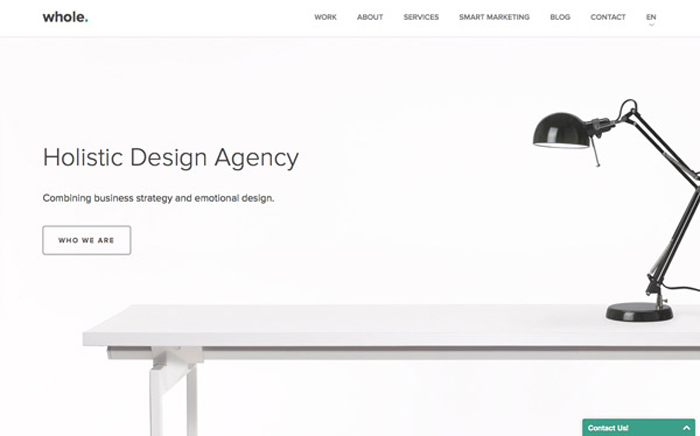
Website development refers to the technical process of building and maintaining websites or web applications, covering the full workflow from front-end design implementation, back-end coding, database management to server deployment.
Its core goal is to turn design blueprints into a stable, secure, and fully functional online platform that delivers interactivity and business functions.
A standard, professional development process typically includes the following key phases:
- Planning: Define the website’s core goals and target audience, conduct keyword research and competitor analysis, and provide data support for all subsequent decisions.
- Design and architecture: Centered on user experience, plan a clear information architecture and integrate brand visuals to strike the right balance between aesthetics and usability.
- Development and testing: Front-end and back-end engineers work together to turn design mockups into executable code, not only implementing functions but also optimizing performance and building a solid SEO foundation.
- Launch and maintenance: Launch is not the end but the start of a new phase, requiring ongoing data tracking, security maintenance, and content updates to ensure stable performance and marketing results.
These four phases are like building a skyscraper—planning is the foundation, design is the blueprint, development is the construction, and launch plus maintenance is ongoing management; missing any step will affect overall performance.
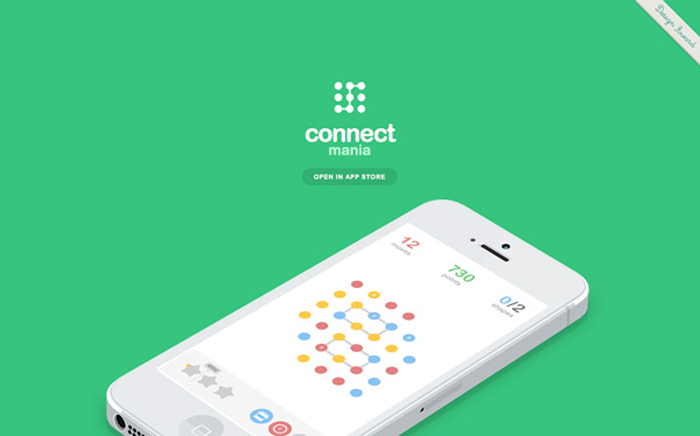
The more thorough the initial planning, the smoother the subsequent development and the better the results.
- Brand identity websites: Emphasize visual consistency, company culture, and trust-building.
- Product-focused websites: Focus on guided selling and conversion rates, with clear CTAs (Call to Action).
- Information-focused websites (such as media or blogs): Focus on high-quality content and SEO visibility.
Next, define your target audience. By analyzing user behavior and creating precise user personas—their age, preferences, and device habits—you can determine the website’s language style and page structure.
For example, a B2B tech company should use more professional, performance-oriented language, while a B2C brand should focus on emotional connection and convenience.
Using tools such as Google Keyword Planner or Ahrefs, you should not only find high-volume phrases but also understand the search intent behind them:
- Informational: For example, “website development process,” where users want to learn; long-form blog articles are suitable.
- Transactional: For example, “website development company recommendation,” “web design pricing,” where users seek vendors; your service pages must be clear and persuasive.
- Navigational: For example, “[brand name] web development,” where users already have a brand in mind; your official site must be easily discoverable.
By analyzing competitor site structures, title tags, and traffic sources, you can position your differentiation more accurately.
For instance, if competitors focus on technical details, you can emphasize “strategy plus marketing” to strengthen your professional image.
A typical content architecture might include:
- Home: Communicates core brand values and key messages, and directs users deeper into the site.
- Services/Products: Clearly categorizes each service or product to solve specific user problems.
- Case studies or portfolio: Showcases actual results to demonstrate expertise and build trust.
- Blog: Continuously publishes in-depth content related to your core business to attract organic traffic and build topical authority.
- Contact: Provides clear calls to action (forms, live chat, phone) to complete conversions.
A good structure works like a map: it helps search engines understand page relationships and helps visitors achieve their goals quickly.
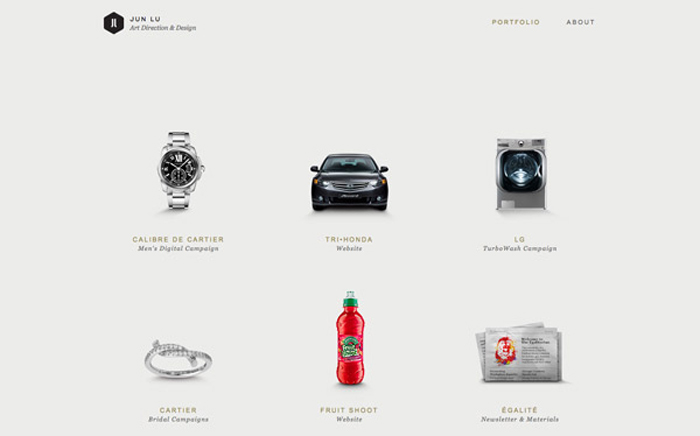
Once the skeleton is in place, the design phase gives your website its “flesh and soul.”
Key points in UX design include:
- A clean navigation bar, with main navigation completed within three levels.
- The first screen must present brand value and a CTA, such as “Get a Free Consultation” or “See Our Solutions.”
- Responsive design to ensure smooth browsing on any device.
At the same time, UI design should maintain consistency in typography, colors, spacing, and animations to strengthen visual rhythm and brand recognition.
- Use H1, H2, H3 tags properly to reflect heading hierarchy.
- Add descriptive alt text to images to improve visibility in image search.
- Keep URLs short and clear, for example: www.brand.com/web-development-guide.
- Break content into topical sections, naturally including primary keywords at the beginning of each section.
By embedding SEO into the design phase, you gain efficiency and long-term performance.
- Tech companies: Use cool colors and clean typefaces to highlight professionalism.
- Lifestyle brands: Use warm tones and soft imagery to create closeness and emotional connection.
- Creative industries: Add micro-interactions and personalized elements to increase fun and memorability.
Consistent tone and style in copywriting further reinforce your brand image.

Once the design is finalized, you move into the critical phase of turning blueprints into reality. The rigor of this phase directly determines the website’s stability, speed, and security.
- Using semantic HTML tags such as header, section, and footer for better parsing by search engines.
- Optimizing loading speed via image compression, lazy loading, and CDNs.
- Reducing code bloat with CSS and JavaScript minification tools.
- Installing tracking codes (Google Analytics, Tag Manager, Facebook Pixel) to monitor user behavior.
- WordPress: Flexible and extensible with rich plugins, suitable for blogs or small to medium businesses.
- Headless CMS (such as Strapi, Sanity): Outputs content to apps, websites, or digital signage simultaneously, increasing flexibility.
- Custom systems: Built for complex internal workflows, membership systems, or advanced API integrations.
Security is a central concern for the back end: installing SSL certificates, setting up firewalls, performing regular backups, and updating systems are basic protective measures.
- Cross-browser testing: Ensure consistent display in Chrome, Safari, and Firefox.
- Cross-device testing: Ensure proper rendering on desktops, tablets, and smartphones.
- Functional testing: Confirm that forms, buttons, logins, and other interactive features work correctly.
- Performance testing: Use tools like Google PageSpeed Insights to review scores and fine-tune images and code.
- SEO structure testing: Check meta tags and structured data (Schema) implementation.
Only a website that passes rigorous testing can be considered truly complete.

Making the site public is like launching a well-built ship into the sea—the real challenge begins now.
- Meta titles and descriptions are optimized for primary keywords.
- Sitemap.xml and robots.txt are correctly configured.
- SSL certificates are active (URLs start with https).
- Google Search Console and Analytics are properly connected.
- All forms and CTA buttons function correctly.
- Regular backups and security checks: Weekly or monthly backups with routine vulnerability scans.
- Monitoring key data: Monthly reviews of traffic sources, user behavior, bounce rate, and conversions to identify optimization opportunities.
- Continuous content creation: Update blog posts or service pages around common user questions and emerging keywords to maintain activity and authority.
- Adjusting SEO strategy: Watch for Google core updates and optimize content structure for AI-driven search so your brand becomes a trusted source.
Today, website development is not just about coding; it is a comprehensive project that integrates brand strategy, user experience, and SEO.
As a professional Hong Kong web design company, we provide each client with tailored, end-to-end web design and online marketing services, helping you avoid common pitfalls and leverage the latest AI-assisted development tools and SEO strategies so you can stand out today and stay ahead tomorrow.
Your website is not a cost but an investment. Contact us now and turn your site into the most effective “salesperson” for your brand and revenue growth.
This article breaks down the complete website development process step by step, from the foundational planning phase to continuous post-launch growth, helping you avoid common web design pitfalls and build a high-quality site that can stay competitive in the long run.
Overview of the Website Development Process: From Concept to Launch with Integrated Thinking
Website development refers to the technical process of building and maintaining websites or web applications, covering the full workflow from front-end design implementation, back-end coding, database management to server deployment.
Its core goal is to turn design blueprints into a stable, secure, and fully functional online platform that delivers interactivity and business functions.
A standard, professional development process typically includes the following key phases:
- Planning: Define the website’s core goals and target audience, conduct keyword research and competitor analysis, and provide data support for all subsequent decisions.
- Design and architecture: Centered on user experience, plan a clear information architecture and integrate brand visuals to strike the right balance between aesthetics and usability.
- Development and testing: Front-end and back-end engineers work together to turn design mockups into executable code, not only implementing functions but also optimizing performance and building a solid SEO foundation.
- Launch and maintenance: Launch is not the end but the start of a new phase, requiring ongoing data tracking, security maintenance, and content updates to ensure stable performance and marketing results.
These four phases are like building a skyscraper—planning is the foundation, design is the blueprint, development is the construction, and launch plus maintenance is ongoing management; missing any step will affect overall performance.
Planning Phase: Laying the Foundation That Determines Success or Failure
The more thorough the initial planning, the smoother the subsequent development and the better the results.
1. Clarify Website Goals and Target Audience
The first step in website planning is to clarify “the ultimate purpose of this website.” Different website types have completely different requirements for structure and content:- Brand identity websites: Emphasize visual consistency, company culture, and trust-building.
- Product-focused websites: Focus on guided selling and conversion rates, with clear CTAs (Call to Action).
- Information-focused websites (such as media or blogs): Focus on high-quality content and SEO visibility.
Next, define your target audience. By analyzing user behavior and creating precise user personas—their age, preferences, and device habits—you can determine the website’s language style and page structure.
For example, a B2B tech company should use more professional, performance-oriented language, while a B2C brand should focus on emotional connection and convenience.
2. Keyword Research and Competitor Analysis
Today SEO is no longer just about “keyword rankings,” but about optimizing for “search intent” and “entities.”Using tools such as Google Keyword Planner or Ahrefs, you should not only find high-volume phrases but also understand the search intent behind them:
- Informational: For example, “website development process,” where users want to learn; long-form blog articles are suitable.
- Transactional: For example, “website development company recommendation,” “web design pricing,” where users seek vendors; your service pages must be clear and persuasive.
- Navigational: For example, “[brand name] web development,” where users already have a brand in mind; your official site must be easily discoverable.
By analyzing competitor site structures, title tags, and traffic sources, you can position your differentiation more accurately.
For instance, if competitors focus on technical details, you can emphasize “strategy plus marketing” to strengthen your professional image.
3. Sitemap and Content Architecture
A good sitemap is like a book’s table of contents: it helps search engines understand site logic and helps users quickly find the information they need.A typical content architecture might include:
- Home: Communicates core brand values and key messages, and directs users deeper into the site.
- Services/Products: Clearly categorizes each service or product to solve specific user problems.
- Case studies or portfolio: Showcases actual results to demonstrate expertise and build trust.
- Blog: Continuously publishes in-depth content related to your core business to attract organic traffic and build topical authority.
- Contact: Provides clear calls to action (forms, live chat, phone) to complete conversions.
A good structure works like a map: it helps search engines understand page relationships and helps visitors achieve their goals quickly.
Design and Architecture: Aligning Aesthetics with Conversion
Once the skeleton is in place, the design phase gives your website its “flesh and soul.”
1. UX and UI Design: Usability Always Comes Before Looks
The core of website design is “practicality and intuitiveness.” No matter how beautiful the visuals, if users cannot find what they want, everything is in vain.Key points in UX design include:
- A clean navigation bar, with main navigation completed within three levels.
- The first screen must present brand value and a CTA, such as “Get a Free Consultation” or “See Our Solutions.”
- Responsive design to ensure smooth browsing on any device.
At the same time, UI design should maintain consistency in typography, colors, spacing, and animations to strengthen visual rhythm and brand recognition.
2. SEO-Friendly Information Architecture
Search engine crawlers understand page content through HTML structure, so SEO must be integrated during the design stage:- Use H1, H2, H3 tags properly to reflect heading hierarchy.
- Add descriptive alt text to images to improve visibility in image search.
- Keep URLs short and clear, for example: www.brand.com/web-development-guide.
- Break content into topical sections, naturally including primary keywords at the beginning of each section.
By embedding SEO into the design phase, you gain efficiency and long-term performance.
3. Brand Consistency: Creating a Lasting Impression
Brand consistency is one of the keys to website success. Typography, color palette, and tone should all extend from your brand identity.- Tech companies: Use cool colors and clean typefaces to highlight professionalism.
- Lifestyle brands: Use warm tones and soft imagery to create closeness and emotional connection.
- Creative industries: Add micro-interactions and personalized elements to increase fun and memorability.
Consistent tone and style in copywriting further reinforce your brand image.
Development and Testing: Delivering the Ideal User Experience in Code
Once the design is finalized, you move into the critical phase of turning blueprints into reality. The rigor of this phase directly determines the website’s stability, speed, and security.
1. Front-End Development: Building a Smooth User Interface
The front end is the part users interact with directly and strongly influences first impressions and SEO performance. Best practices include:- Using semantic HTML tags such as header, section, and footer for better parsing by search engines.
- Optimizing loading speed via image compression, lazy loading, and CDNs.
- Reducing code bloat with CSS and JavaScript minification tools.
- Installing tracking codes (Google Analytics, Tag Manager, Facebook Pixel) to monitor user behavior.
2. Back-End Development and Database Design: Building a Stable Core
The back end determines stability and security. Choosing the right CMS architecture can greatly improve efficiency:- WordPress: Flexible and extensible with rich plugins, suitable for blogs or small to medium businesses.
- Headless CMS (such as Strapi, Sanity): Outputs content to apps, websites, or digital signage simultaneously, increasing flexibility.
- Custom systems: Built for complex internal workflows, membership systems, or advanced API integrations.
Security is a central concern for the back end: installing SSL certificates, setting up firewalls, performing regular backups, and updating systems are basic protective measures.
3. Testing and Debugging: The Final Line of Defense Before Launch
Multi-platform testing is critical to ensuring a great experience. Your tests should include:- Cross-browser testing: Ensure consistent display in Chrome, Safari, and Firefox.
- Cross-device testing: Ensure proper rendering on desktops, tablets, and smartphones.
- Functional testing: Confirm that forms, buttons, logins, and other interactive features work correctly.
- Performance testing: Use tools like Google PageSpeed Insights to review scores and fine-tune images and code.
- SEO structure testing: Check meta tags and structured data (Schema) implementation.
Only a website that passes rigorous testing can be considered truly complete.
Launch and Maintenance: Continuous Optimization as the Core of Competitiveness
Making the site public is like launching a well-built ship into the sea—the real challenge begins now.
1. Pre-Launch Checklist
Launch details define the first user experience and form the starting point of search indexing. Confirm the following:- Meta titles and descriptions are optimized for primary keywords.
- Sitemap.xml and robots.txt are correctly configured.
- SSL certificates are active (URLs start with https).
- Google Search Console and Analytics are properly connected.
- All forms and CTA buttons function correctly.
2. Maintenance and Content Updates
Today’s SEO environment changes rapidly, and AI summaries have reshaped click behavior, making ongoing maintenance essential:- Regular backups and security checks: Weekly or monthly backups with routine vulnerability scans.
- Monitoring key data: Monthly reviews of traffic sources, user behavior, bounce rate, and conversions to identify optimization opportunities.
- Continuous content creation: Update blog posts or service pages around common user questions and emerging keywords to maintain activity and authority.
- Adjusting SEO strategy: Watch for Google core updates and optimize content structure for AI-driven search so your brand becomes a trusted source.
Frequently Asked Questions for Web Development Beginners
Q1: How long does it usually take to develop a professional website from planning to launch?
A1: It depends on complexity. A simple corporate site usually needs about 15–30 working days, while custom or e-commerce sites with complex features may take 45–90 working days or more. The full timeline includes requirements communication, visual design, front- and back-end development, and testing.Q2: Why do website development costs vary so much?
A2: Cost is mainly driven by the level of design customization, functional complexity, and technology stack. Template-based sites are cheaper, while original designs with complex membership systems or payment/logistics integrations cost more. Quotes usually cover design and development, the first year of domain and hosting, and then ongoing maintenance and renewal fees.Q3: What is responsive design, and do I really need it?
A3: Yes, you do. Responsive design means a website automatically adapts to different screen sizes (mobile, tablet, desktop) to provide the best viewing experience. Since Google uses mobile-first indexing, a mobile-friendly site not only improves user satisfaction but is also crucial to search rankings.Q4: Do I need a dedicated person to maintain the website?
A4: If you are not familiar with the backend or SEO settings, it is better to work with a professional team to avoid misconfigurations that could cause traffic loss or data issues.Today, website development is not just about coding; it is a comprehensive project that integrates brand strategy, user experience, and SEO.
As a professional Hong Kong web design company, we provide each client with tailored, end-to-end web design and online marketing services, helping you avoid common pitfalls and leverage the latest AI-assisted development tools and SEO strategies so you can stand out today and stay ahead tomorrow.
Your website is not a cost but an investment. Contact us now and turn your site into the most effective “salesperson” for your brand and revenue growth.
MORE BLOG
-

Unsatisfied with AI Website Drafts? 5 Steps to Turn Initial Drafts into Effective Business Websites
2026/10/13 Stuck with a generic AI website? Follow our 5-step guide to turn AI initial drafts into effective, user-friendly business websites tailored to your brand. -

What to Do If Your WordPress Site Is Slow? Speed Diagnosis, Cause Identification, and Acceleration Steps
2026/10/09 Is your WordPress site running slow? Learn how to diagnose loading issues, fix Core Web Vitals, and optimize your website speed step-by-step to boost SEO. -

Hong Kong Web Design Guide: How to Build a High-Converting WordPress Site from Scratch
2026/09/30 Complete Hong Kong WordPress guide: domain, hosting, SEO, & pricing for HK SMEs. Learn DIY vs agency web design to build high-converting websites.

